
Learn · LoRaWAN
LoRaWAN, explained by the people who build it.
LoRaWAN is the long-range, low-power network behind most of our deployments: sensors that report for years on a battery, from miles away, through a gateway you own. This guide covers how LoRa reaches so far, how a network is put together, device classes, joining and security, and when a private network beats a public one.
How LoRa works · architecture · classes A, B, C · joining · security · private vs public
At a glance
The numbers that matter.
What is LoRaWAN?
LoRaWAN is a wireless standard for connecting battery-powered sensors and controls over long distances on unlicensed spectrum. Two pieces make it up. LoRa is the radio modulation, developed by Semtech, that lets a tiny transmitter be heard miles away and well below the noise floor. LoRaWAN is the network protocol on top of it, maintained by the LoRa Alliance, that defines how devices join, how messages are secured, and how gateways and a network server move data to the cloud.
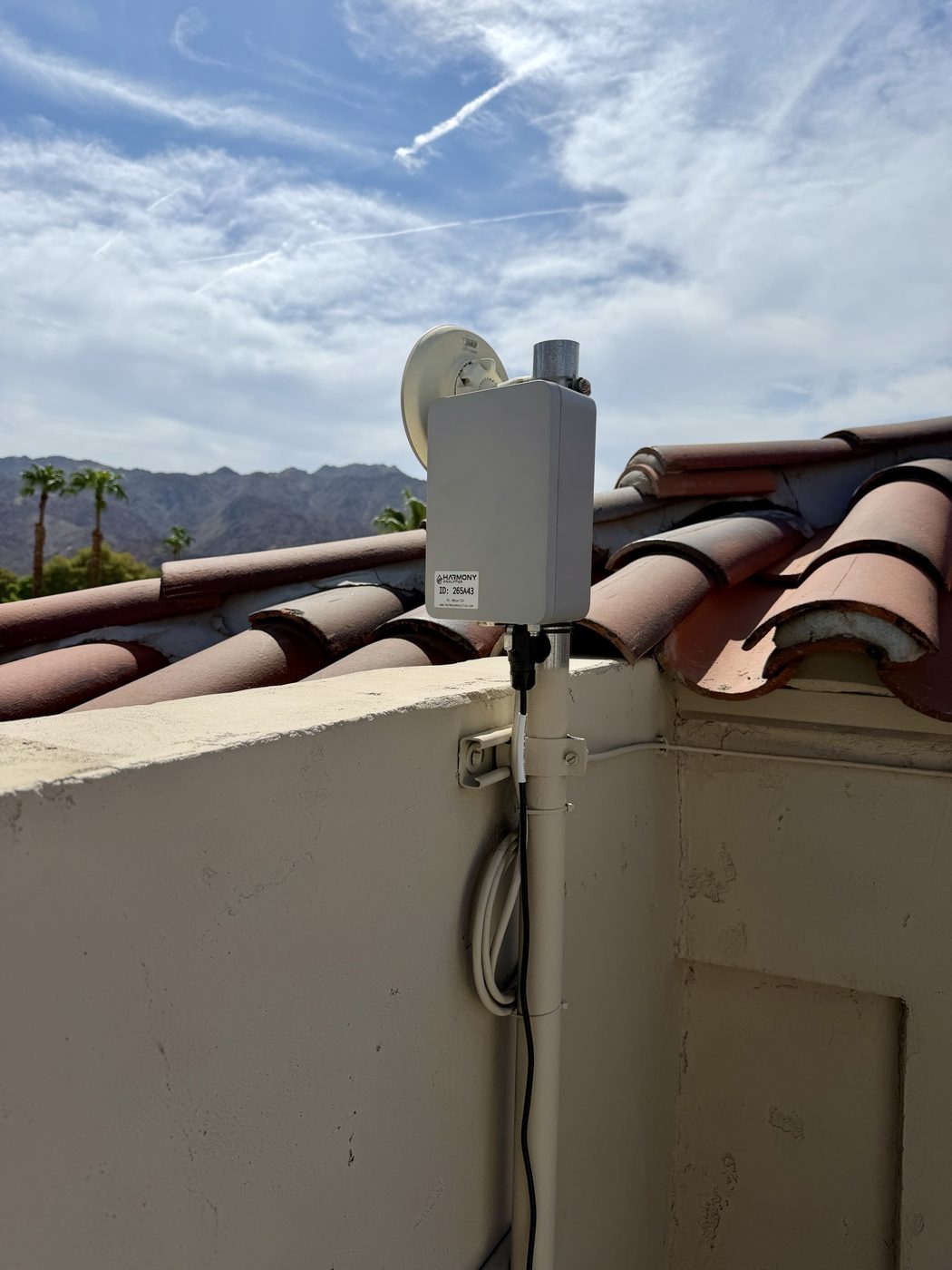
Because it uses unlicensed spectrum (902 to 928 MHz in North America, 863 to 870 MHz in Europe), anyone can run a LoRaWAN network. There is no carrier, no SIM and no monthly plan per device. A gateway the size of a lunchbox on a roof or a pole covers a campus, a golf course, an irrigation district or a good part of a small town, and hundreds of sensors report through it for years on a single battery. That combination of range, battery life and ownership is why LoRaWAN is the network we build most.
How LoRa reaches so far on so little power
LoRa uses chirp spread spectrum: each symbol is a sweep across the channel rather than a fixed tone, which lets the receiver pick the signal out of interference and noise. The spreading factor (SF7 through SF12) controls how long each chirp lasts. A higher spreading factor sends slower but reaches farther and penetrates deeper; a lower one sends faster and uses less battery. Data rates run from about 300 bits per second at the slowest setting to around 27 kbps at the fastest, which is plenty for a soil reading, a meter total or a valve command, and the wrong tool for images or video.
In practice we see 2 to 5 miles from a well-placed rooftop gateway across open landscape and about a mile in a dense urban core, with sensors reporting from valve boxes, basements and buried enclosures that no Wi-Fi or cellular signal would reach. Adaptive Data Rate (ADR) lets the network server tell each device the fastest rate that still gets through, so close sensors save battery and far ones stay connected.
How a LoRaWAN network is put together
End devices
The sensors and controllers: soil moisture probes, flow and pressure sensors, tank level sensors, valve controllers, weather stations, pulse counters on existing meters. Each carries a LoRa radio, a microcontroller, a battery and the keys that identify it to one network.
Gateways
A gateway listens on all channels at once and forwards every packet it hears to the network server over its backhaul, which can be Ethernet, Wi-Fi, cellular or satellite. Gateways do not decide anything; they are radio-to-internet bridges. Devices are not paired to a gateway, so any gateway in range receives the message and the network server discards duplicates. That is what makes coverage easy to extend: add a gateway and every device nearby simply has a second path. See our guide to gateways and backhaul.
Network server
The network server is the brain. It authenticates devices, removes duplicate packets, manages data rates, schedules downlinks and decrypts the network layer. It can be private (ChirpStack on your own server or cloud account), hosted (The Things Stack, Actility, Senet) or a public community network (Helium, The Things Network). We are vendor-neutral and run all of them.
Application server
The application server decodes each device's payload into readings, stores them and drives dashboards and alerts. In our deployments this is MODURA or the customer's platform, connected to the network server over MQTT or HTTP.
Device classes A, B and C
- Class A is the default and the most battery-efficient. The device transmits when it has something to say and opens two short receive windows afterward. A downlink, such as a new configuration, has to wait for the device's next uplink. Almost all sensors are Class A.
- Class B adds scheduled receive windows synchronized to a gateway beacon, so the network can reach the device at known times without waiting for an uplink. Useful for controls that need a bounded response time on battery.
- Class C keeps the receiver open whenever it is not transmitting, so downlinks arrive almost immediately. It draws far more power and is used for mains- or solar-powered devices such as valve controllers, relays and pump interfaces.
How a device joins the network
- Provisioning. Each device has a unique DevEUI, a JoinEUI that identifies the application, and a root AppKey. These are registered on the network server before the device leaves the shop.
- Join request. On power-up the device transmits a join request. Any gateway in range forwards it.
- Join accept. The network server checks the identifiers, proves it holds the same AppKey, and answers with a device address and the parameters for the channels in use.
- Session keys. Both sides derive two session keys from the exchange: a network key that protects and authenticates the packet, and an application key that encrypts the payload. Neither key is sent over the air.
- Uplinks. From then on the device sends readings on its schedule, and the network server confirms each packet's integrity before passing the encrypted payload on to the application.
This is called over-the-air activation, or OTAA, and it is the only method we deploy. The older activation-by-personalization approach hard-codes the session keys and cannot rotate them, so we avoid it.
Security
LoRaWAN encrypts everything with AES-128 and separates the network from the application. The network operator can verify that a packet is genuine and route it, but cannot read the sensor data, because the application session key is known only to the device and the application server. Every packet carries a frame counter and a message integrity code, so replayed or altered messages are rejected. On a private network the entire chain, from radio to dashboard, runs on infrastructure you control, and we add TLS between the network server and the application on top.
Private, public and hybrid networks
A private network means your gateways and your network server. It is the right answer for a campus, a course, a district or a facility with many sensors: the cost per point is lowest, coverage is designed for your sites, and the data never leaves your account. A public network such as Helium or a carrier-run LoRaWAN service lets a single device report from anywhere the operator has coverage, for a small per-device or per-packet fee, with no gateway of your own. A hybrid uses your own gateways on the properties you control and a public network to catch the outliers. Roaming between them is part of the standard, and we design for it when a customer's assets are spread over a region.
What LoRaWAN is not good at
- Large payloads. Messages are tens to a couple hundred bytes. Firmware over the air is possible but slow; images and audio are out.
- Constant streaming. Regulations limit how often a device may transmit in Europe, and North American dwell-time rules cap each transmission. A reading every few minutes is fine; every second is not.
- Moving vehicles at speed. Trackers work, but hand-off between gateways is not managed the way cellular does it. For fleets we usually pair LoRaWAN on site with LTE-M on the road.
Where we deploy it
- Golf courses and sports complexes: soil moisture in every green and field, weather, pump stations and cart tracking on one network.
- Green infrastructure: rooftop planters, green roofs and living walls across a city, reporting to one dashboard.
- Buildings and campuses: water meters, pressure, cooling tower make-up, leak detection and mechanical rooms.
- Utilities and districts: meter retrofits, tank levels, pump stations and stormwater structures spread across a territory.
- Agriculture and remote sites: soil, tank, pump and gate monitoring miles from the nearest building.
Choosing a radio
Where LoRaWAN fits, and where it does not.
We deploy LoRaWAN, LTE-M and NB-IoT and recommend by the site, not by habit.
LoRaWAN
Many sensors within a few miles of a gateway you own. No subscription, your data, your network.
LTE-M
One or two devices per site, moving assets, and gateway backhaul. Carrier plan per device.
Gateways & backhaul
The one piece that needs power and internet, and how we keep it online.
How we deploy it
From RF survey to a network your team can run.
-
1
Survey
A test gateway and a walking sensor on the real site, measuring what reaches from valve boxes, roofs and enclosures.
-
2
Design
Gateway count and placement, backhaul, power and a network server you will not be trapped by, in writing.
-
3
Deploy
Gateways mounted, devices provisioned with OTAA keys, payload codecs written and readings validated on site.
-
4
Operate
Heartbeat monitoring, remote management and documentation so your own team can add sensors without us.
Do I need a license or a carrier?
No. LoRaWAN uses unlicensed spectrum (902 to 928 MHz in North America). You can own the gateways and the network server outright, with no carrier and no per-device plan.
How far does it really reach?
Two to five miles from a well-placed rooftop gateway across open ground, and about a mile in a dense urban core. Height matters more than power, and we measure every site before committing to gateway locations.
How many sensors can one gateway handle?
Hundreds to a few thousand, depending on how often they report. An eight-channel gateway covering sensors that report every 15 minutes rarely comes close to its limit.
Can it control things, not just measure?
Yes. Class C devices such as valve controllers and relays receive commands almost immediately. Battery-powered Class A sensors receive configuration on their next check-in.
Is my data readable by the network operator?
No. The payload is encrypted with an application key that only the device and your application server hold. The network layer can verify and route a packet but cannot read it.
LoRaWAN or LTE-M for my site?
Dozens of sensors within a few miles: LoRaWAN. One or two devices at a remote site, or devices that move: LTE-M. Many of our networks use both, with LTE-M as the gateway backhaul.
Harmony Analytica
Thinking about a network of your own?
Tell us about the property and what you need to know about it. We will survey coverage, design the network and quote the first phase at a fixed fee.